
Troubleshooting CIVA Batch Manager: Using the Clear Cache command
The Batch Manager is a particularly useful tool when you want to run calculations sequentially. However, you may encounter issues when using it, for instance if your CIVA configurations are corrupted, if the initial installation of the Batch Manager was not completed correctly or following a CIVA update. These issues can have a lasting impact on the Batch Manager and may sometimes render it unusable.
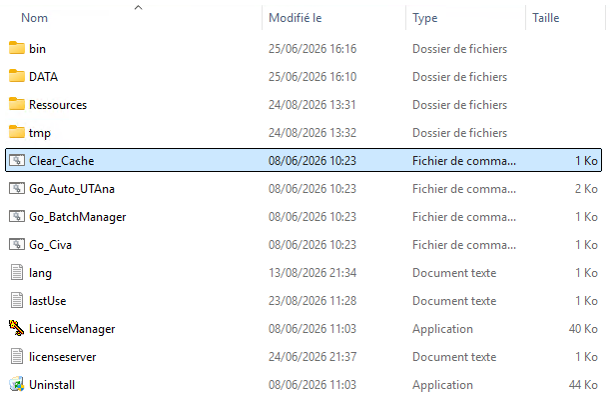
In order to remedy that, you can clean the Batch Manager by launching the file “Clear_Cache.bat” located in the CIVA installation folder (by default “C:\Civa_2025”). That operation will reset the Batch Manager by deleting all its cache and temporary files. When you open it next, you will be prompted to choose a new base directory in which to store these files. Launching “Clear_Cache.bat” is also good practice when you want to change storage drives.
If despite cleaning the cache, you still encounter issues when using the Batch Manager, you can use its older version instead. To open it, from your CIVA installation folder, go to “bin\x64\launch” and double-click on “Go_Batch_IHM.bat”. With this simplified version of the Batch Manager, you will no longer be able to access the different parallelization tools, but you will at least be able to launch sequential simulations.
